
Match-day graphics for your football stream
Scorebug, lineups, live stats, league table, goal banners and player ratings in your channel's colours. Matchcast runs on your own PC, and you control all of it from one page while you commentate.
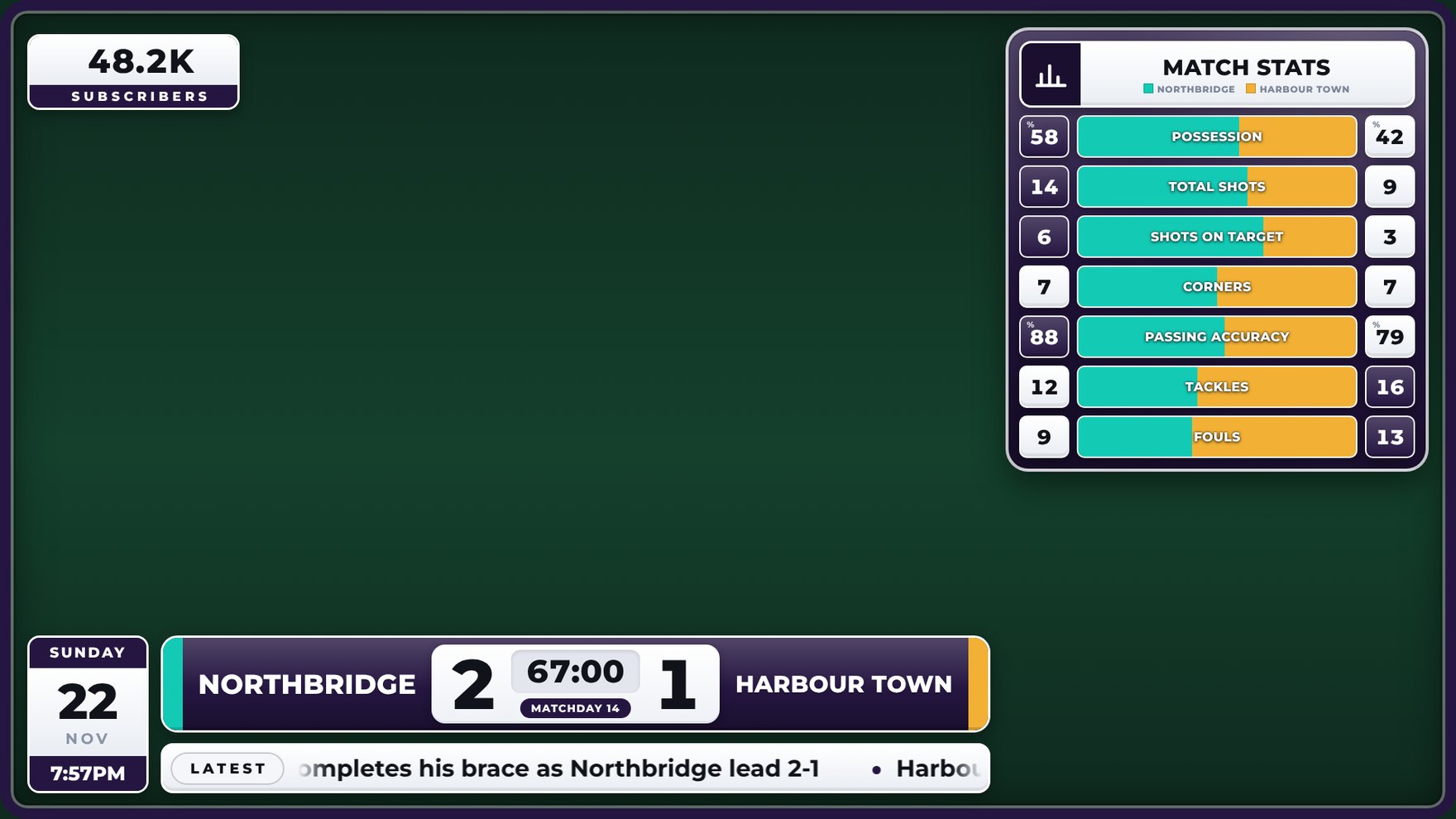
Overlay shown over a placeholder background. Clubs and players in all screenshots are fictional.
Every graphic a match needs
Put a graphic on air, take it off again. Each one updates as the match changes.
Built for the person running the stream
Most of the work happens before kick-off. During the match you only press the buttons that matter.
Before kick-off
- Canvas
- Drag any graphic to where it suits your camera, so goal banners stay off your face. Export and import positions and sizes.
- League table
- Follow your club, show the top ten, the bottom ten, or flip between them. Relegation places turn red on their own.
- Stream delay
- Hold the graphics back a few seconds to match your video delay, so the goal banner never lands before the goal.
- Export and import
- Save your theme, layout and canvas to a file and load it on any machine. Every save keeps a backup of the last good copy.
On match day
- Auto-update
- Pick a match and a free data feed fills in the score, clock, lineups, stats and table. Switch it off and take over by hand at any time.
- Match clock
- First half, half time, second half, stoppage time, extra time and penalties, each with the right label on the scorebug.
- Lineup markers
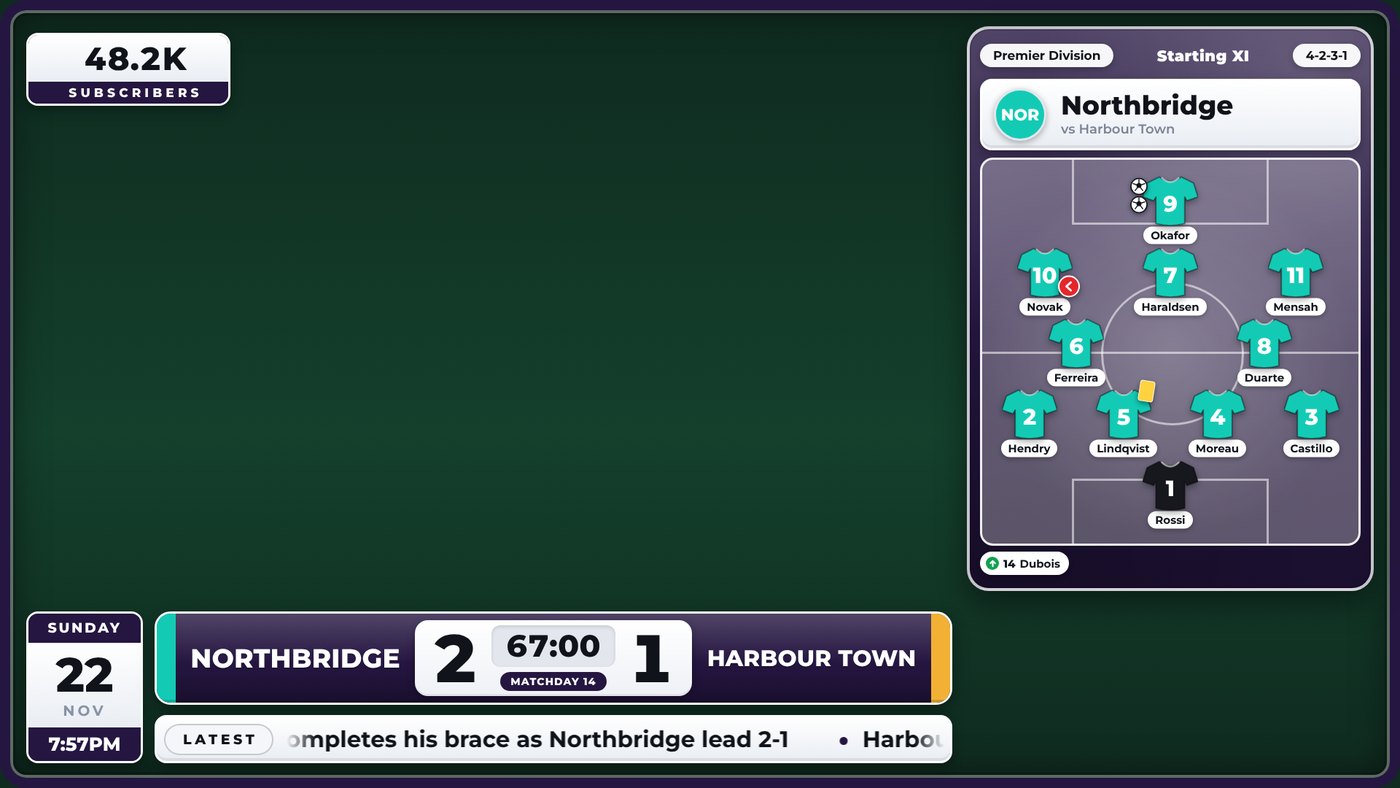
- Goals, yellow and red cards, and subbed-off arrows appear on the shirts as they happen, with substitutes listed below.
- Side panel
- Rotates through lineups, stats and table on a timer, and jumps to the right team after a goal, card or substitution.
- Live stats
- The team ahead on each stat is shown in your accent colour. Level stats split the bar in half. Add or remove rows whenever you like.
- Player ratings
- Rate every player out of ten after the final whistle, pick a man of the match, and show the scrolling list on stream.
Run the whole match from one page
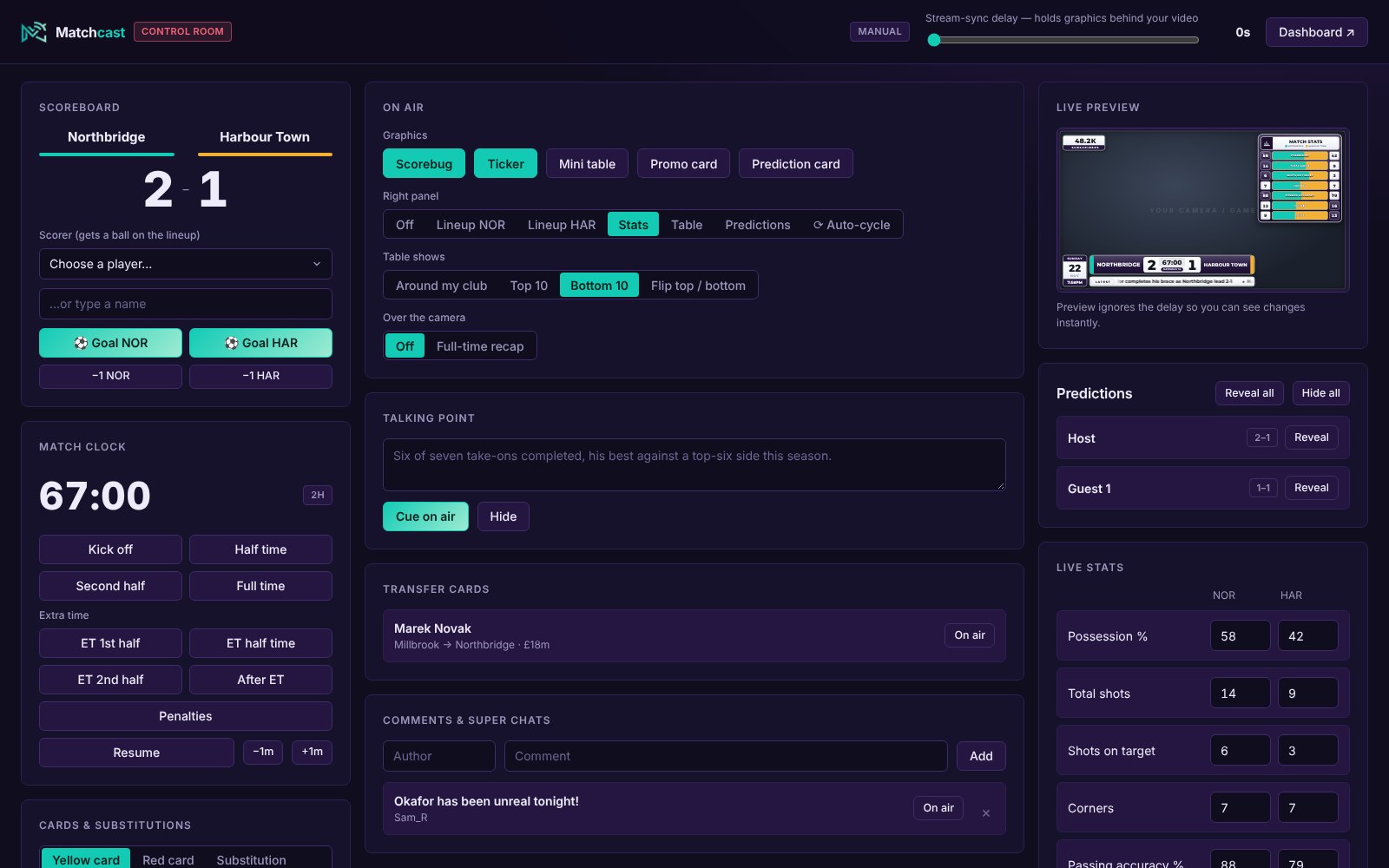
The Control Room has the score, clock, goals, cards, substitutions and every graphic. A live preview shows exactly what viewers see.
- Goal buttons let you pick the scorer from the lineup and fire the banner.
- Cards and subs update the shirts and the banner together.
- Transfer cards, comments and talking points are ready to put on air.
- Score predictions can be revealed one at a time.
Rate the players after the final whistle
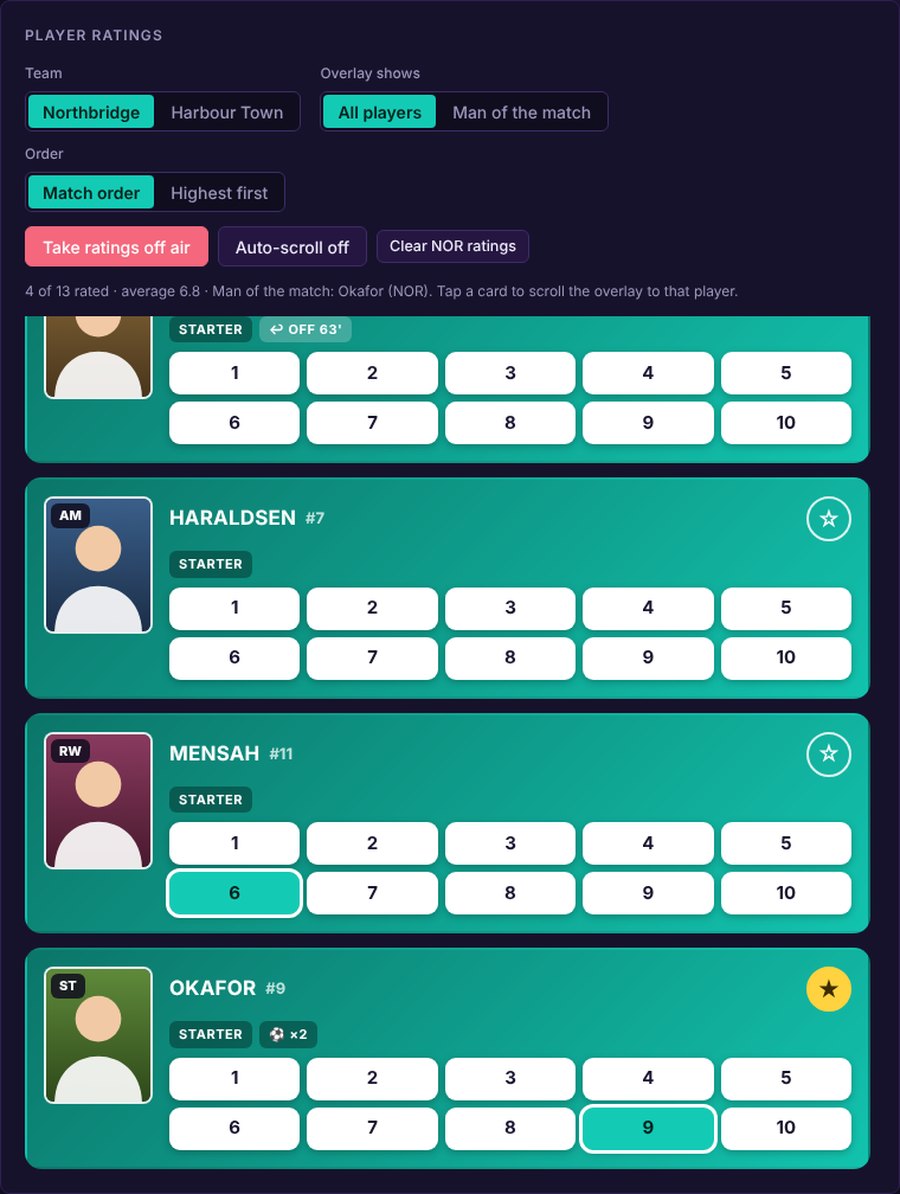
Every player who featured gets a card with their photo, position, whether they started or came on, and what they did in the match. Tap a number from 1 to 10 and star your man of the match.
- Pick the team you want to rate, then switch to the other.
- The stream follows you. The on-screen list scrolls to the player you are rating, or moves down the list on its own.
- Photos come from the data feed when it has them, or you can add your own image links.
- Sort highest first for the big reveal.
Find the story, then put it on air
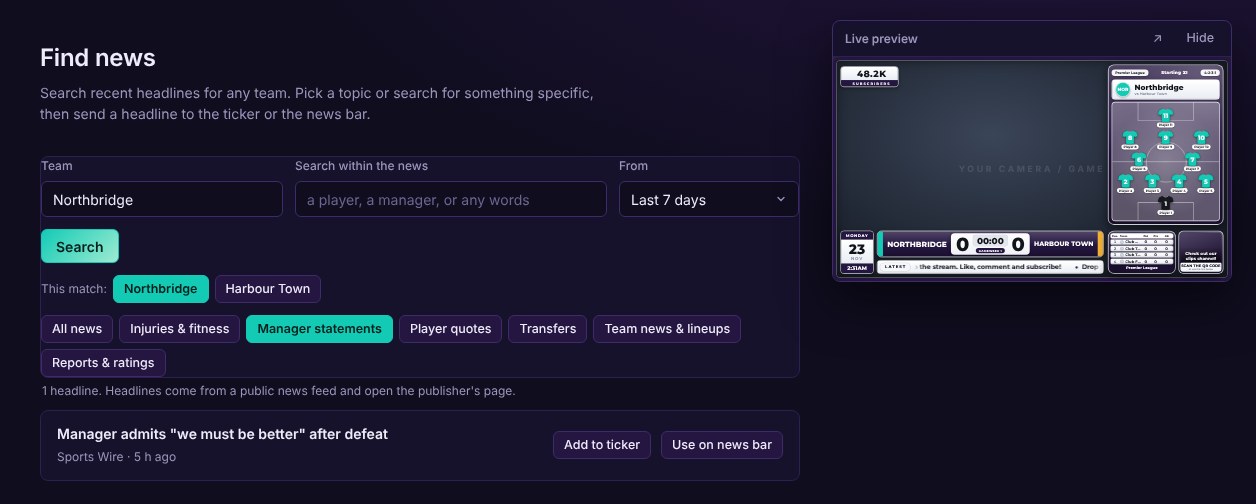
Search recent headlines for any team and filter them down to what your show is about. Send a headline to the ticker or the news bar in one click.
- Filter by team, with the two clubs in your match one tap away.
- Topics: injuries and fitness, manager statements, player quotes, transfers, team news and reports.
- Search for a player or any words, from the last day up to the last month.
- Show as widget puts an article in the right-hand panel with its picture and a short summary.
- Links to the publisher let you read the story before you say it on air.
Let your viewers be part of the show
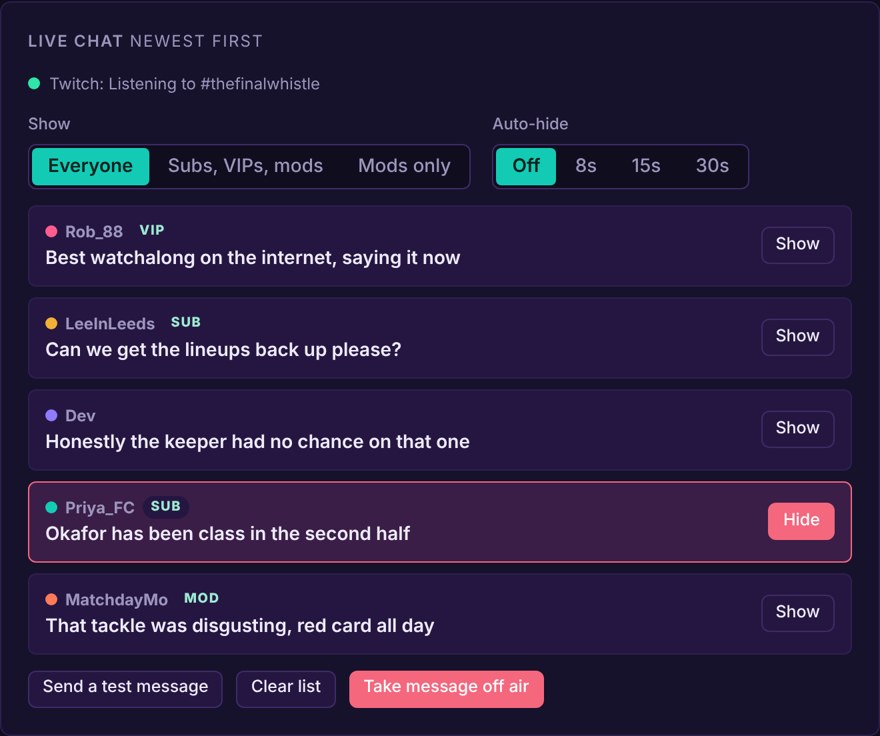
Your Twitch and YouTube chat comes into the Control Room. Spot a good message, press Show, and it appears on stream with the viewer's name and emotes.
- Twitch needs no login. Type your channel name. YouTube needs a free key.
- Filter the noise: commands, links, bots, blocked words, or subs and mods only.
- Auto-hide takes a message off after 8, 15 or 30 seconds.
- Super Chats show with their amount.
Keep the graphics off your face
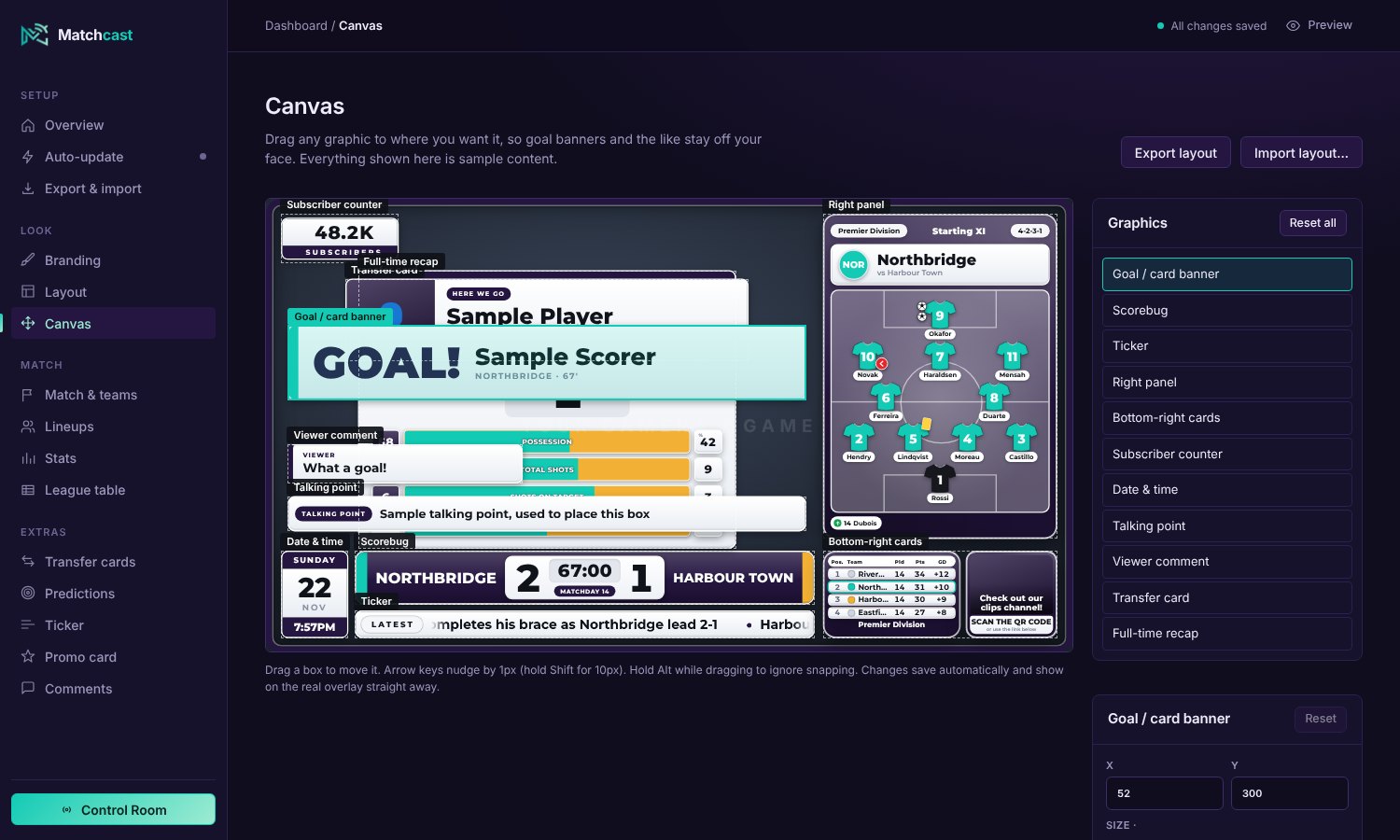
Every graphic has its own position and size on the Canvas. Drag one, let go, and the live overlay moves with it.
- Drag, nudge or type exact positions, with or without a snap grid.
- Resize each graphic from 40% to 160%.
- Export your layout to use it on another machine or scene.
Set your colours once
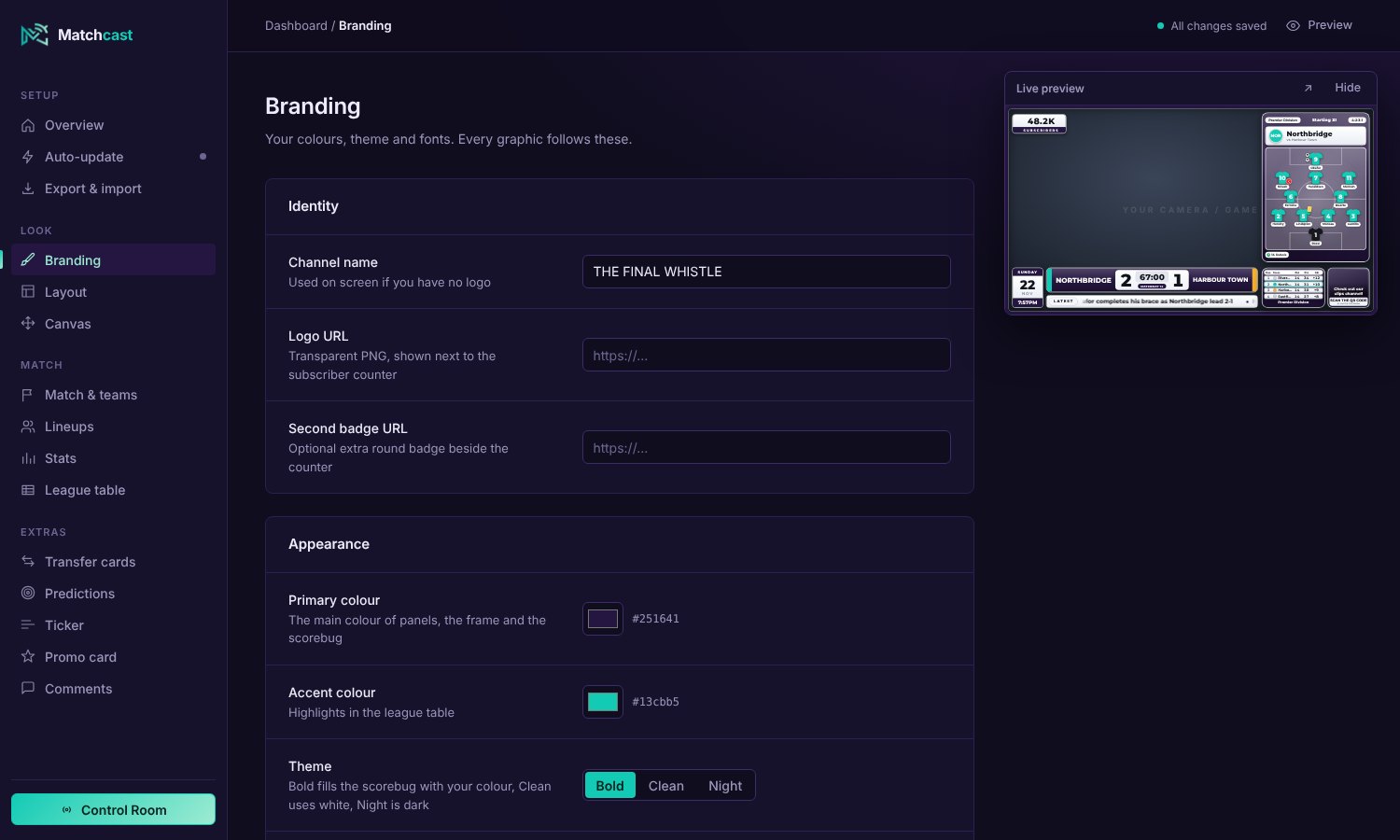
Choose your channel's colours, logo, font and corner style in the Dashboard and every graphic follows. A preview beside each setting shows the change as you make it.
- Three looks: bold, clean or night.
- Team colours on the scorebug, with optional club crests.
- Club presets and simple editors for teams, lineups, stats and tables.
On air in three steps
-
Start Matchcast
Unzip it and run
node server.js. It needs Node 18 or newer and nothing else. Then open the Dashboard in your browser. -
Add one browser source
In OBS, add a Browser Source, point it at your overlay URL and set it to 1920 by 1080. The overlay is transparent over your game.
-
Run the match
Open the Control Room. Pick your match for live data or enter it yourself, then put graphics on air as the game goes.
Questions
Which streaming software does it work with?
Matchcast is built for OBS Studio's Browser Source. Other software that can load a web page as a source at 1920×1080 should work the same way.
Does it need the internet?
Only for the optional auto-update, which fetches scores and stats from a data feed. Everything else runs on your own computer. You can type every number by hand and never go online.
Where does the live data come from?
You choose the feed. Matchcast can use free public football data, or football-data.org with your own free key. Coverage, speed and accuracy depend on the feed, so keep the manual controls to hand for important matches.
Can I use my own logo, colours and club crests?
Yes. Set your colours, logo, badge and font in the Dashboard. Add crest image links for teams if you want them on the scorebug and banners.
What happens to my settings when I update?
They live in a settings file beside the program. Export them to a file before you update, then import them afterwards. Saves are written safely with a backup copy.
Can I move the graphics so they do not cover my camera?
Yes. The Canvas lets you drag each graphic anywhere on the 1920×1080 frame and resize it.
Is it affiliated with any league or club?
No. Matchcast is independent software. Team names, logos and data belong to their owners, and you are responsible for using them in line with their terms.
Ready for Saturday?
One page to run the match, and graphics that look like a real broadcast.